Grab and Decorate Explore the Mall
Buy the pieces trucks never drop and finish rooms on purpose.
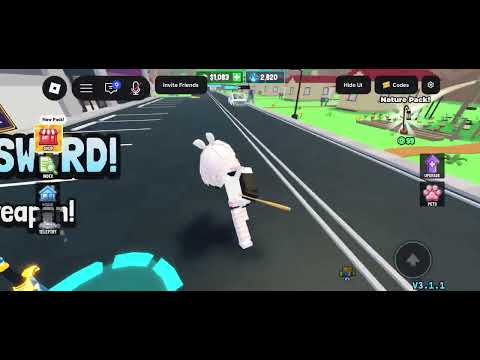
Truck smashing is random. The Mall is intentional. Grab and Decorate lets you explore the Mall for furniture beyond delivery drops so you can finish matching sets, fix awkward gaps, and theme rooms without waiting on lucky spills. This guide explains when to visit, what to prioritize, how to budget around weapon upgrades, and how Mall buys feed decorating and room unlocks.
When the Mall is worth a trip
Visit the Mall after you know what your house is missing. Walk your rooms first: note empty corners, mismatched chairs, missing tables, or a new unlock with bare walls. A short wishlist turns shopping into a mission instead of a cash drain. If you are still learning smash-and-return basics, finish Getting Started and a few farm runs before large purchases.
Good Mall timing examples:
- You just unlocked a room and need a starter layout today (Unlock Rooms).
- Truck RNG keeps giving duplicates you refuse to place.
- You own exclusive code pieces and need supporting furniture in the same color family.
- You are one sofa or shelf away from a screenshot-ready room.
Bad timing: spending your last cash on decorations while trucks take forever to break. Upgrade weapons first via the loop in Smash Trucks, then shop with surplus.
What the Mall is for
Use the Mall to complete looks trucks struggle to finish. Matching seating, specific table sizes, thematic decorations, and statement pieces belong here. Trucks remain your volume engine for commons and surprise finds; the Mall is the editor that makes rooms coherent. Think of smash loot as raw material and Mall stock as precision parts.
Codes still beat both sources for free value. Redeem BEGINNER, BLURPLE, GOBBLE26, and MILLIONGIFT when active on Codes so you do not buy commons you could have claimed. Thanksgiving commons from GOBBLE26 can theme a seasonal corner without Mall spend; exclusive BLURPLE pieces often become the center of a room that Mall neutrals support.
Shopping priorities that respect your budget
- Functional gaps: seating, beds, primary tables—anything that defines a room’s job.
- Set completion: chairs that match an existing sofa, shelves that match wood tone.
- Traffic and storage: pieces that free floor space by organizing clutter.
- Statement accents: one bold item per room, not five competing trophies.
- Seasonal extras: only after the room already works day to day.
Rank controversial spends with the Tier List hub so furniture tiers and upgrade costs stay comparable. A high-tier Mall flex that never gets placed is a worse investment than a mid-tier set you install immediately.
Exploring without impulse buying
Browse the full Mall once to learn categories, then shop with blinkers on. Set a cash cap before you enter—enough to leave a weapon upgrade buffer. Buy only what fits the current wishlist. If something amazing appears off-list, either swap it for a lower-priority wishlist item or screenshot it and return after the next farm block. Instant regret purchases usually happen when you shop tired after a long decorate session.
Carry purchases home and place them in the same session. Unplaced Mall bags become invisible spending. Follow placement order from Decorate and Paint: large anchors, mid pieces, accents, then paint adjustments that match the new set.
Pairing Mall trips with rooms and pets
Each room unlock is a natural Mall checkpoint. Assign the new room a role, buy the minimum viable furniture to make it walkable and cozy, then farm again. Do not Mall-furnish the entire house in one binge; paced buys keep cash available for weapons and for the New Best Friend pet goal when you are ready. Badge and companion tracking sits on Players, while event furniture rotations appear on Updates.
Sample Mall checklists
Starter room finish: two matching chairs, one medium table if BEGINNER pieces are not enough, one wall shelf, optional small accent.
New unlock sprint: one large anchor, two mid pieces, paint later at home, skip seasonal until the room has paths.
Showcase refresh: one exclusive-supporting neutral set, space for trophies or Million Visits display items, remove three old clutter pieces for every new accent you add.
Mistakes to avoid
- Mall shopping before redeeming free codes.
- Buying duplicates of furniture you already hate.
- Ignoring weapon upgrades until tough trucks stall your income.
- Filling every unlock with random accents and no large anchors.
- Leaving Mall bags unplaced for days.
Use the Mall as a precision tool on top of truck farming and codes. Wishlist, budget, buy, place—then smash again so the next visit is even more intentional.
Frequently Asked Questions
Quick answers for Grab and Decorate players.
What is the Mall for in Grab and Decorate?
The Mall sells furniture beyond random truck drops so you can finish matching sets, fill specific gaps, and theme rooms on purpose.
Should I shop the Mall or upgrade weapons first?
Upgrade weapons when smash times are slow. Shop the Mall with surplus cash after you have a clear furniture wishlist.
How do I avoid wasting cash at the Mall?
Walk your house first, write a short gap list, set a cash cap that leaves an upgrade buffer, and place everything you buy in the same session.
Do codes replace Mall shopping?
Codes give free furniture and should be redeemed first, but the Mall still helps complete sets and cover pieces codes and trucks do not provide.
What should I buy after unlocking a new room?
Buy a minimum viable layout: one large anchor and a couple of mid-size pieces so the room is walkable, then farm again before heavy accents.